M.2 SSD not seen by Linux (Ubuntu 20.04)
-
The company I work for bought the I-Pi SMARC IMX8M Plus evaluation kit and a 500GB M.2 SSD for it. We want to run a few tests that require writing to this SSD. I setup Ubuntu 20.04 on the board by following the instructions hereAs you would typically need to do in order to use the SSD, I first need to partition, format, and mount it. However, the problem I'm having is that the SSD is not seen by the linux GUI tool "gparted" nor is it listed when I run `sudo -i` followed by `lsblk`:
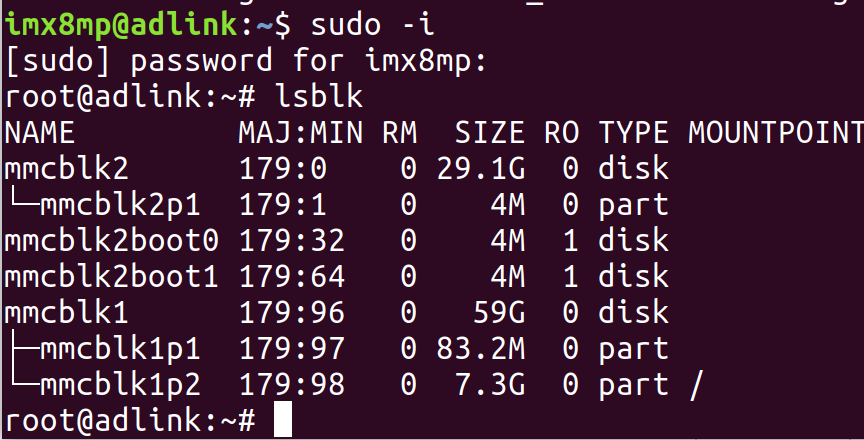 The M.2 SSD is receiving power as indicated by the red LED.Am I supposed to download some driver?
-
Kothandaraman Kannadasan Staff member
-
-
Kothandaraman Kannadasan Staff member
-
-
Kothandaraman Kannadasan Staff member
-
Kothandaraman Kannadasan Staff member
-
-
Kothandaraman Kannadasan Staff member
-
Please login to reply to this topic!
